Configure your Telephone Account Settings
The SMS and telephone alarm requires certain IT settings, please find the overview here: IT Requirements for SMS and Telephone Alarming
| Step 1 | From the start page, click on "Tools" > "Setup": 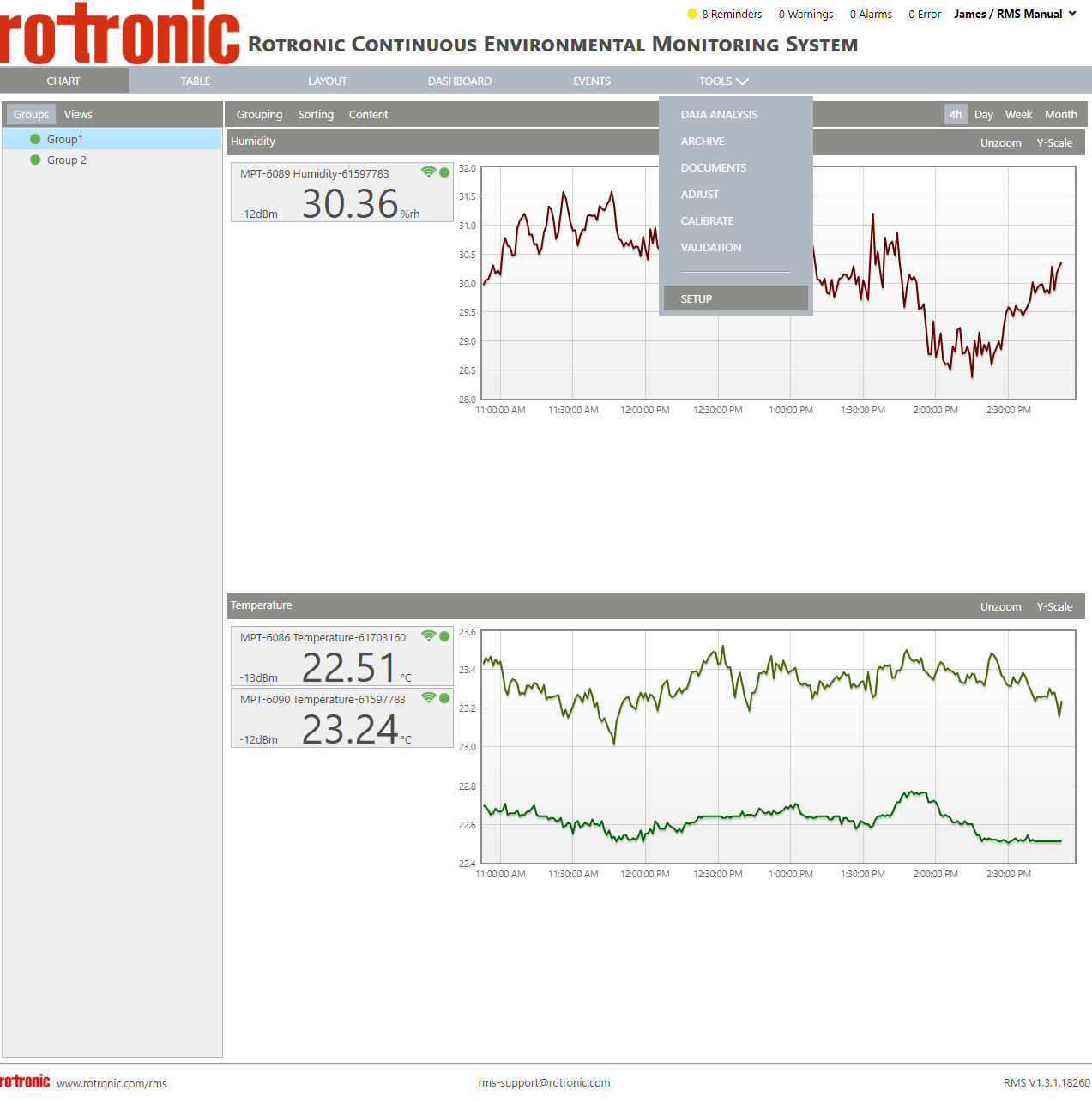 |
|---|---|
| Step 2 | On the left side, select "System": 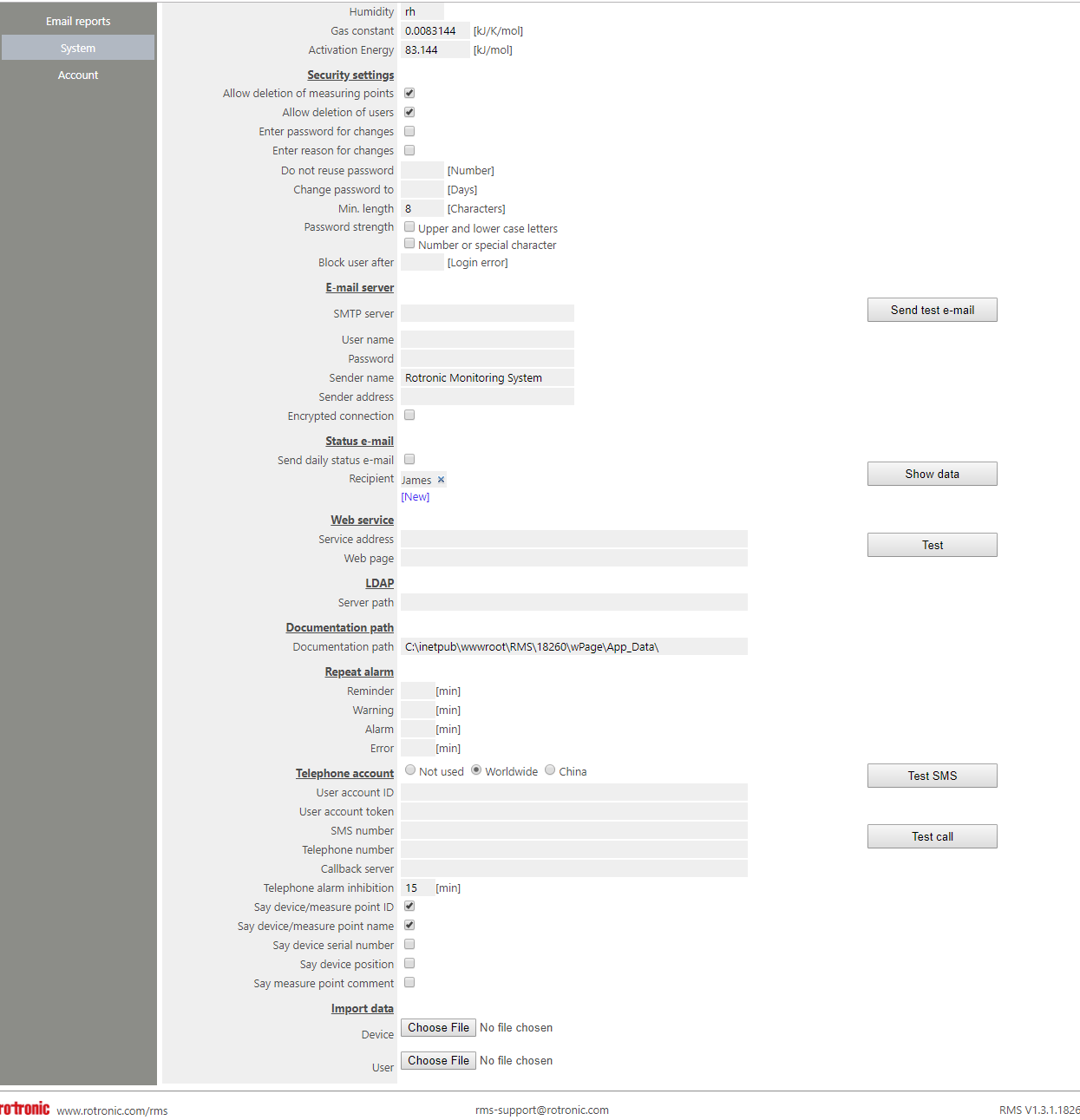 |
| Step 3 | Under "Telephone account", it is possible to configure your telephone account settings. Three options exist: choose either "Not used", "Worldwide" or "China". |
| Step 4 | Click on "Save" to save the settings. |
Please find more details about configuring the SMS and telephone here: Detailed overview.
Please find out how to cancel you SMS and telephone account here: Cancel RMS-WEB/CLD-XDA.