Configure your Security Settings
| Step 1 | From the start page, click on "Tools" > "Setup": 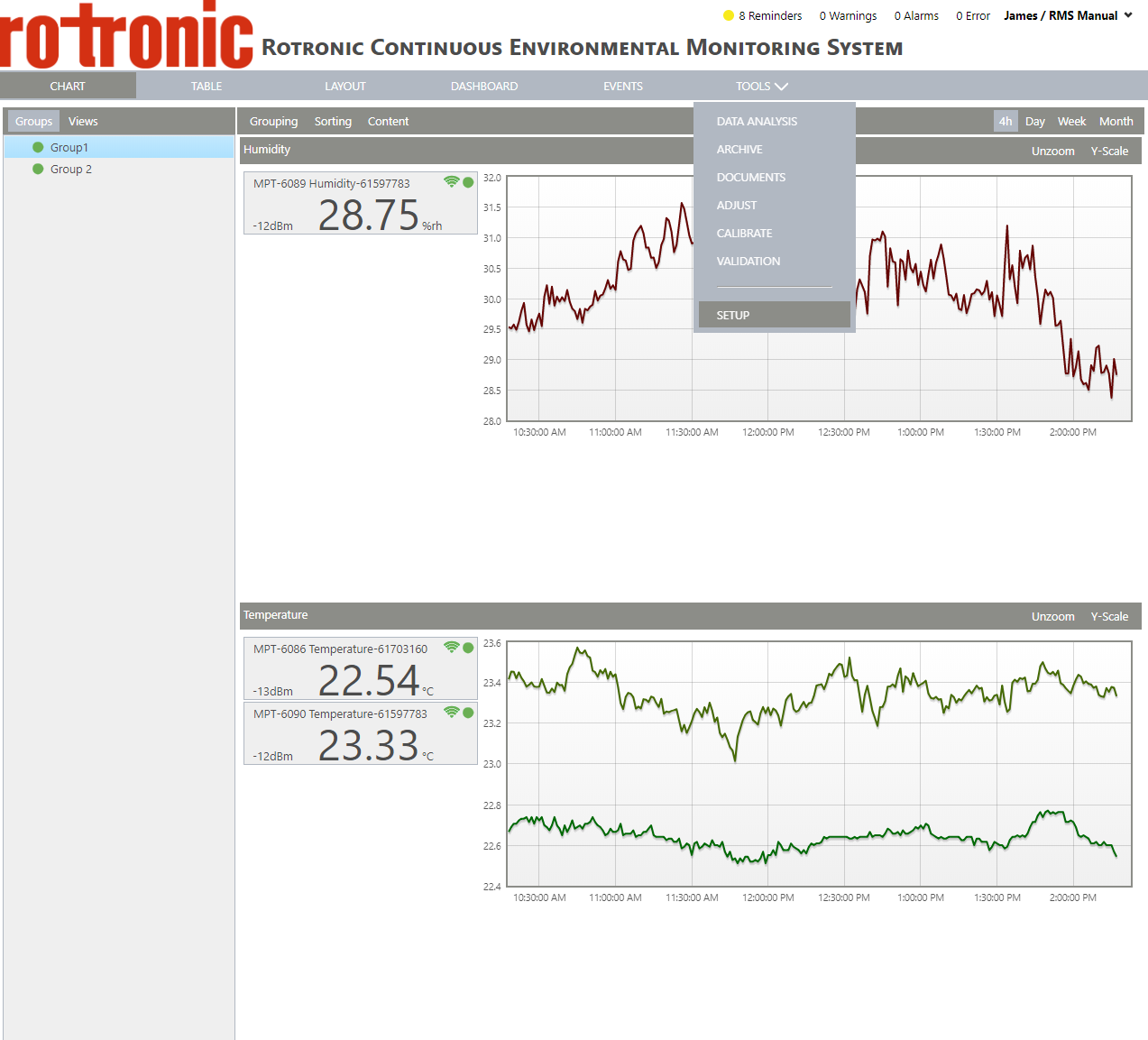 |
|---|---|
| Step 2 | On the left side, select "System": 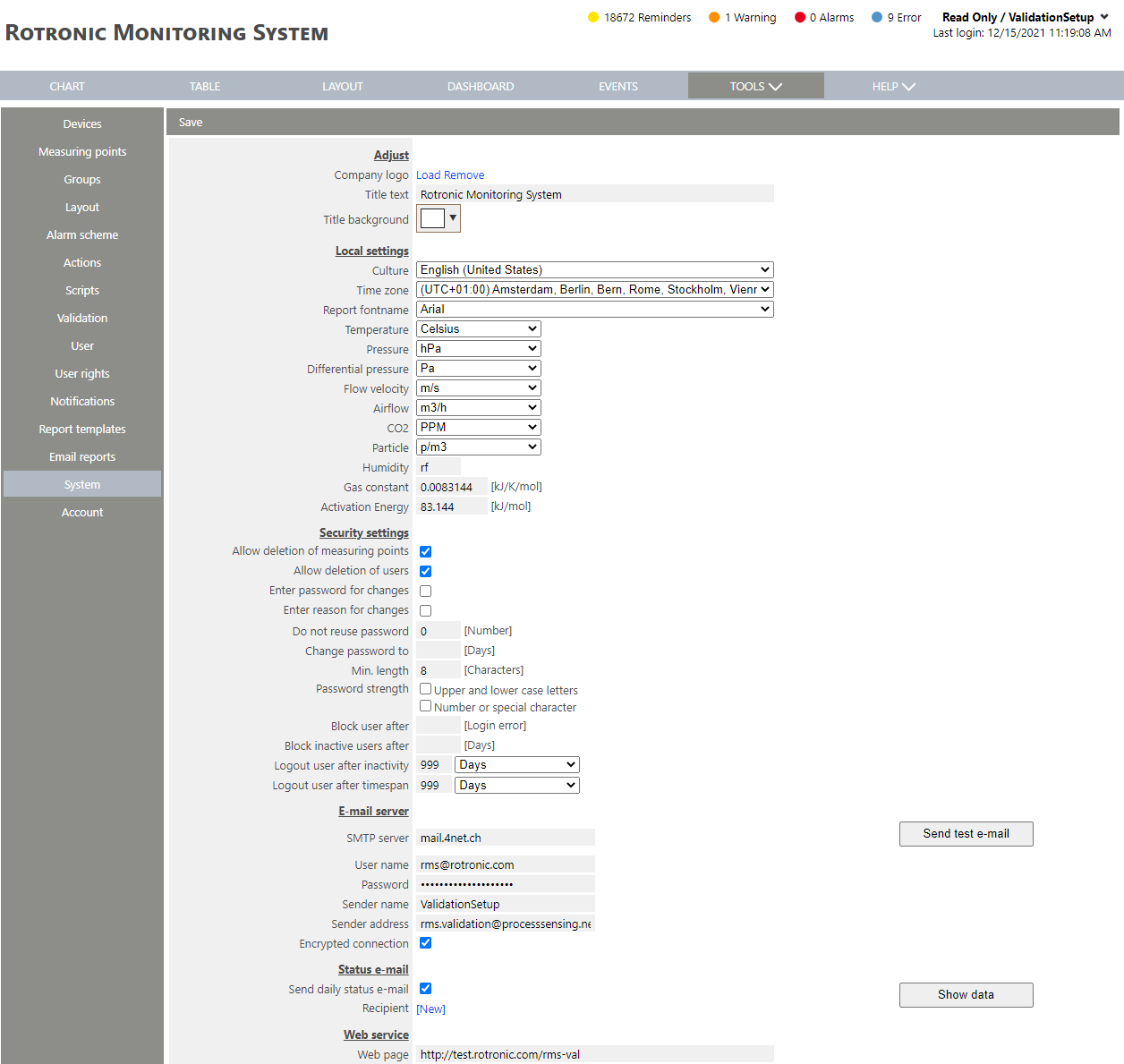 |
| Step 3 | Under "Security settings", it is possible to configure your security settings: IMPORTANT: if a measuring point is deleted all historical data will be irretrievably deleted. - Allow deletion of users: select if yes or no users can be deleted. IMPORTANT: if a user is deleted all historical data will be irretrievably deleted. - Enter password for changes: select if yes or no password needs to be entered for changes. - Enter reason for changes: select if yes or no the reason for a change needs to be noted. - Do not reuse password: define the number of times a password cannot be reused once it has been reset. - Change password to: define the number of days in between each password change. - Min. length: define a minimum password character length. - Password strength: select if yes or no upper and lower case letters should be used as well as numbers or special characters. - Block user after: define the number of login errors before a user is blocked from the system. - Block inactive users after: define the number of days before an inactive user is blocked from the system. - Logout user after inactivity: define the time before a user is logged out due to inactivity. - Logout user after timespan: define the time before a user is logged. When no text is added to a box, the security setting is considered as not required. |
| Step 4 | Click on "Save" to save the changes. |