Configure your E-Mail Server
| Step 1 | From the start page, click on "Tools" > "Setup": 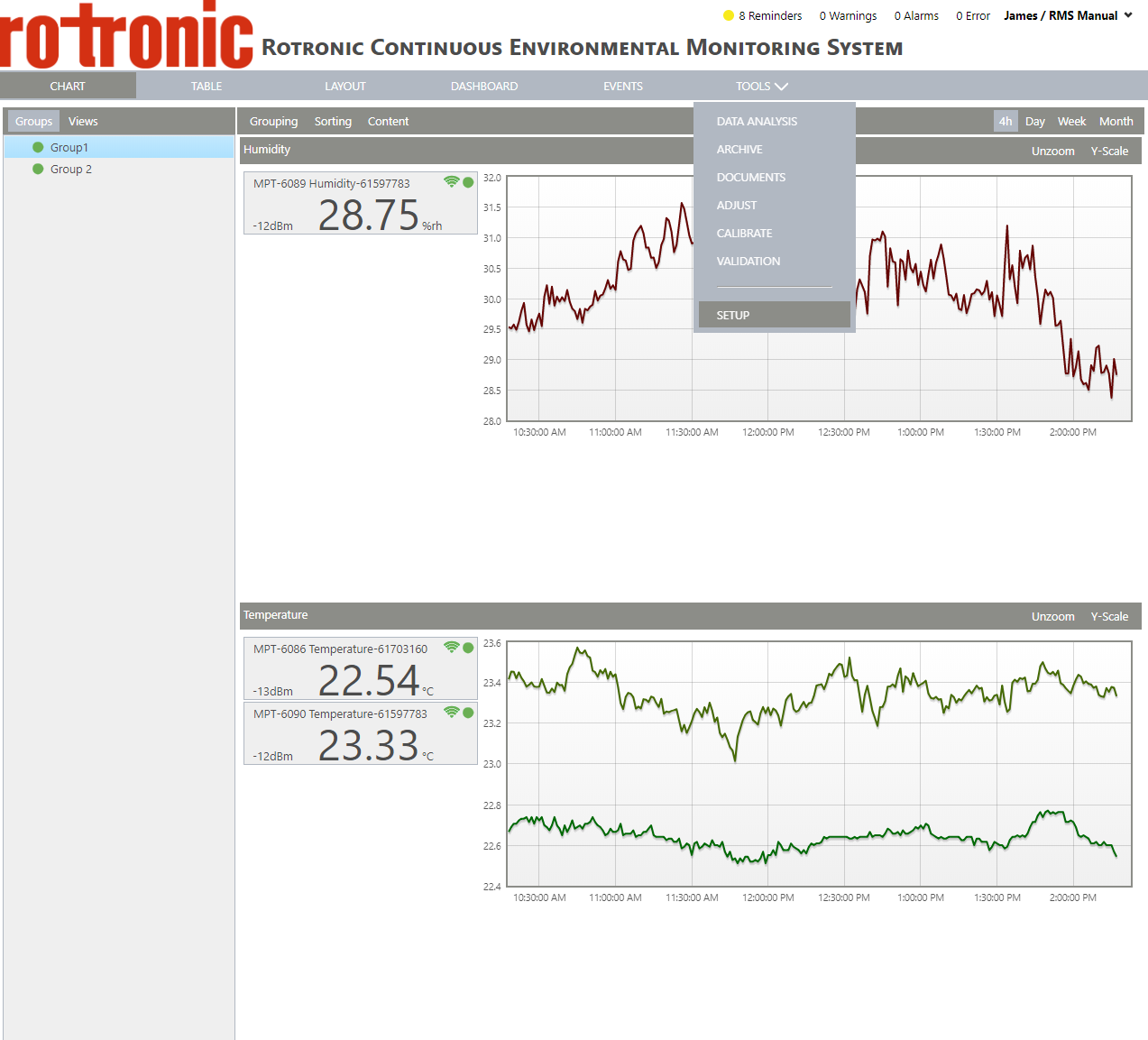 |
|---|---|
| Step 2 | On the left side, select "System": 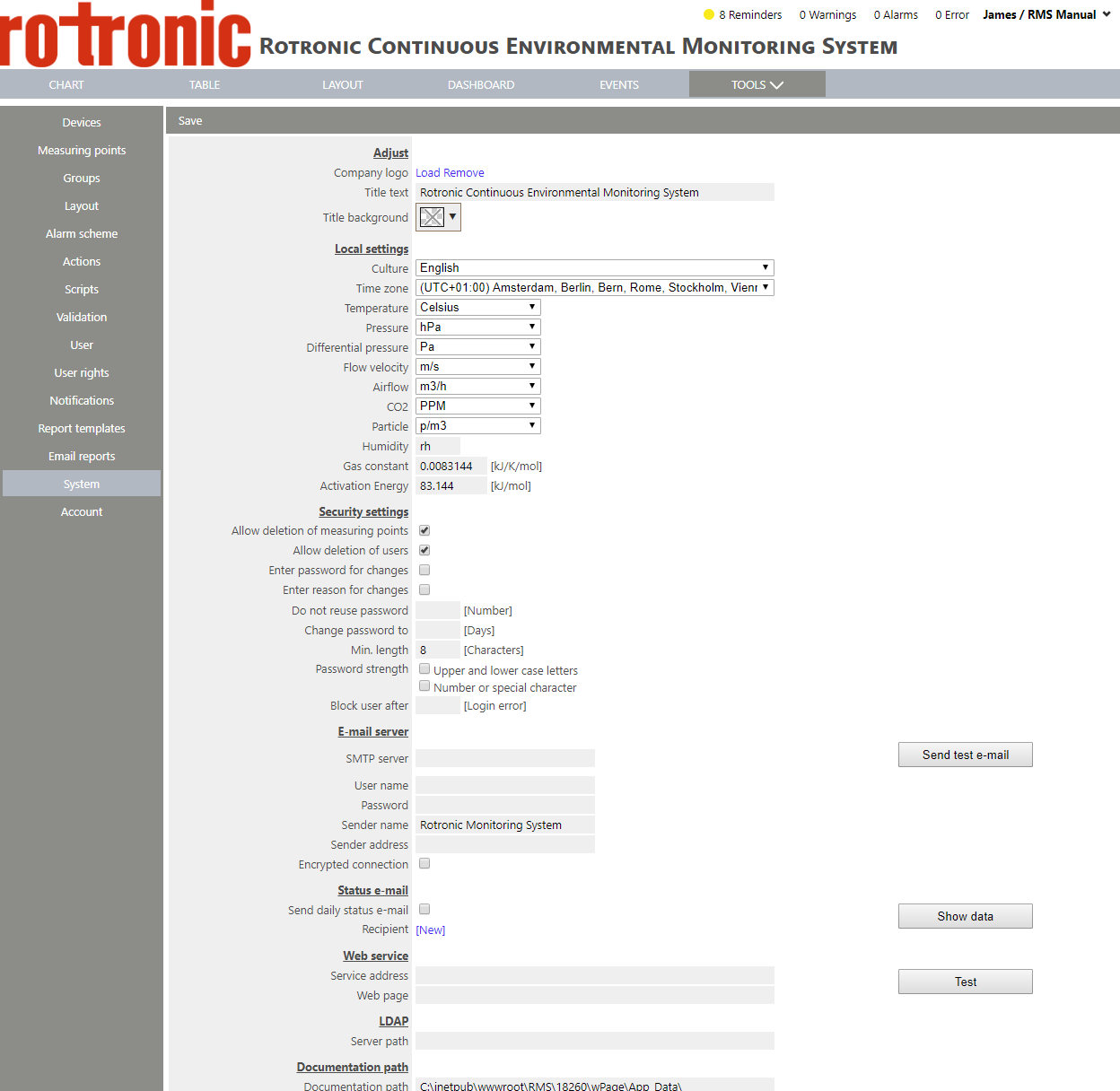 |
| Step 3 | Under "E-mail server", it is possible to configure your email server settings: |
| Step 4 | Click on "Save" to save the changes. |