Configure your Display Event Count in Header Settings
| Step 1 | From the start page, click on "Tools" > "Setup": 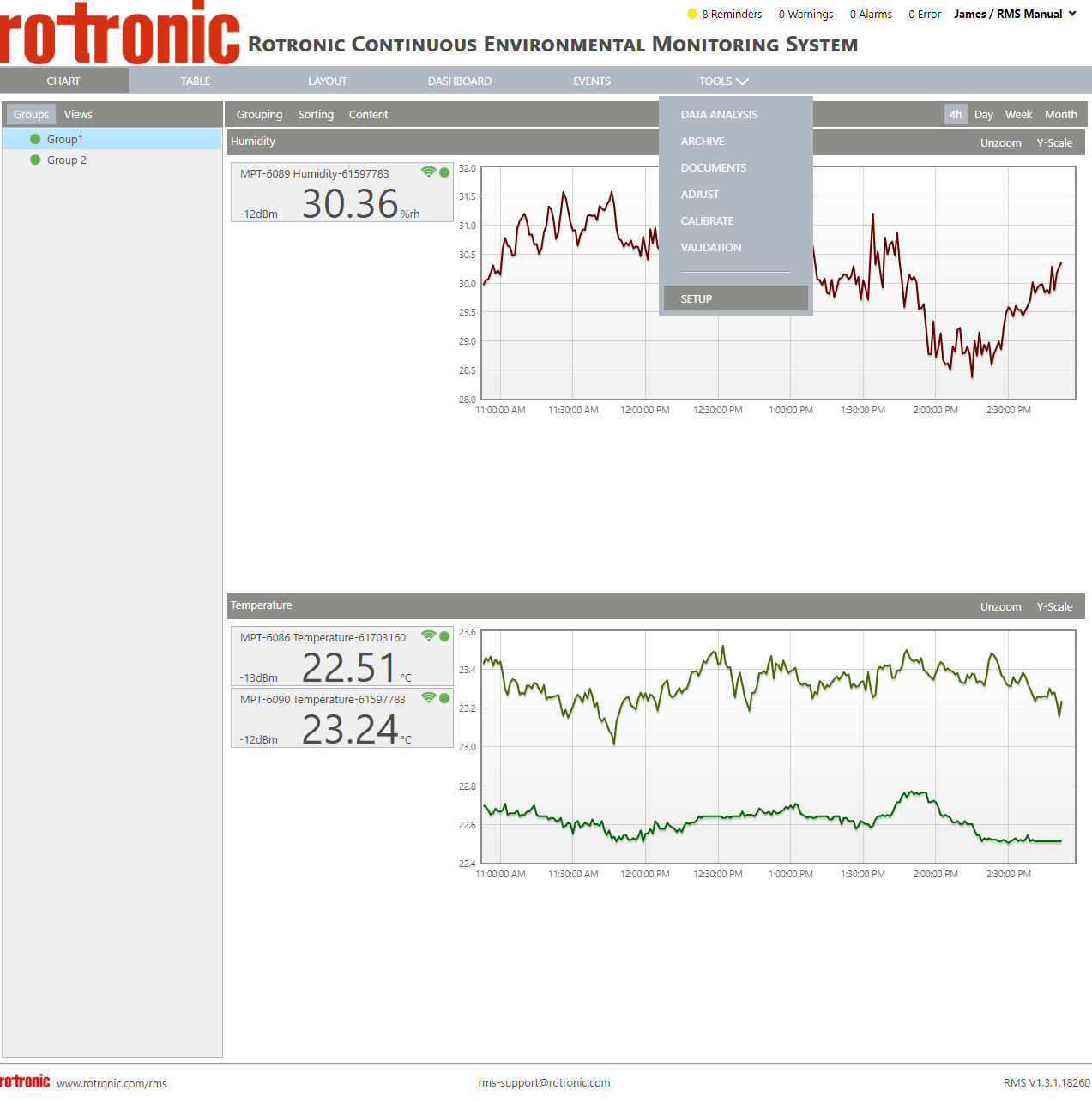 |
|---|---|
| Step 2 | On the left side, select "System": 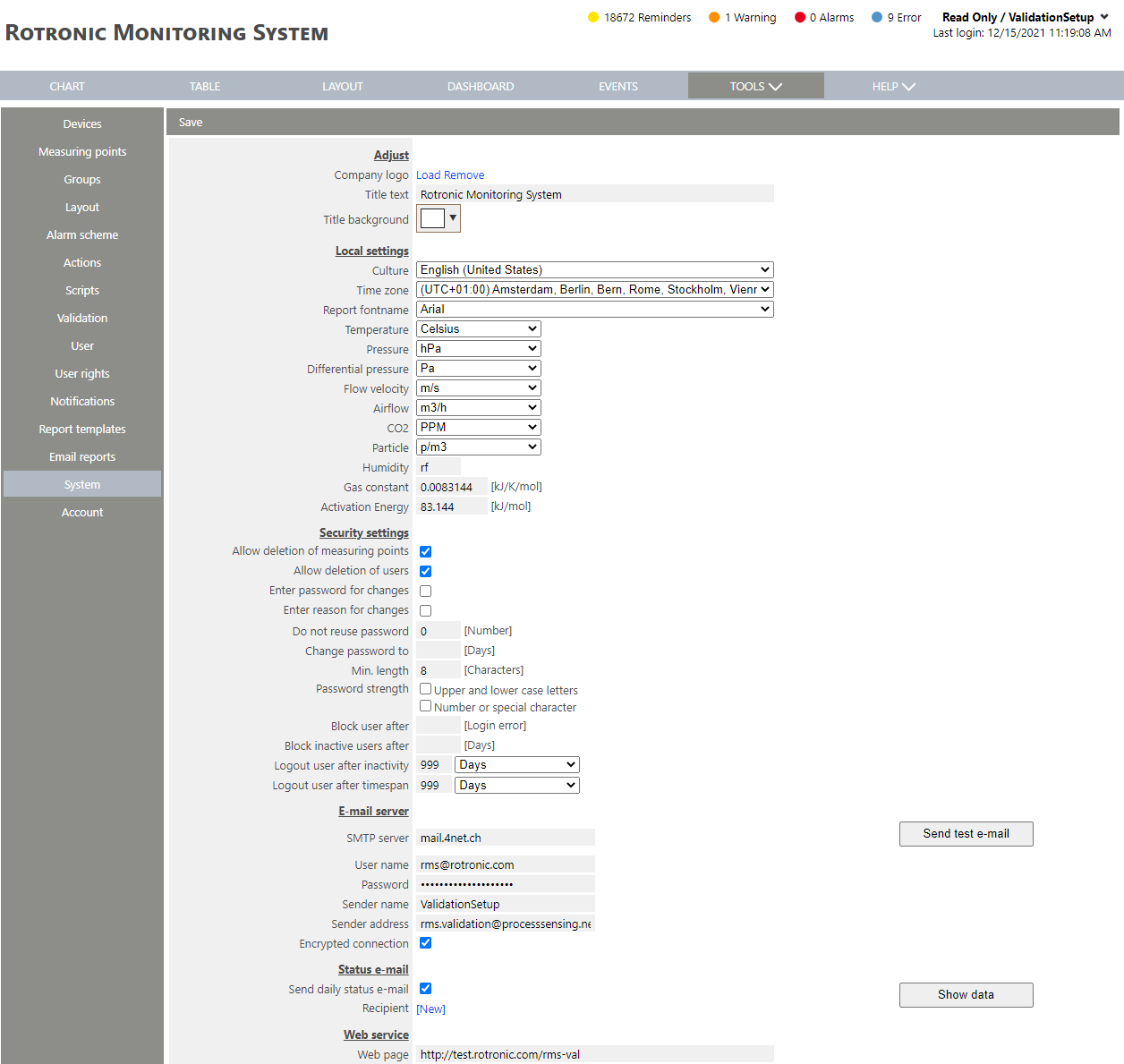 |
| Step 3 | Scroll down to display event count in header: 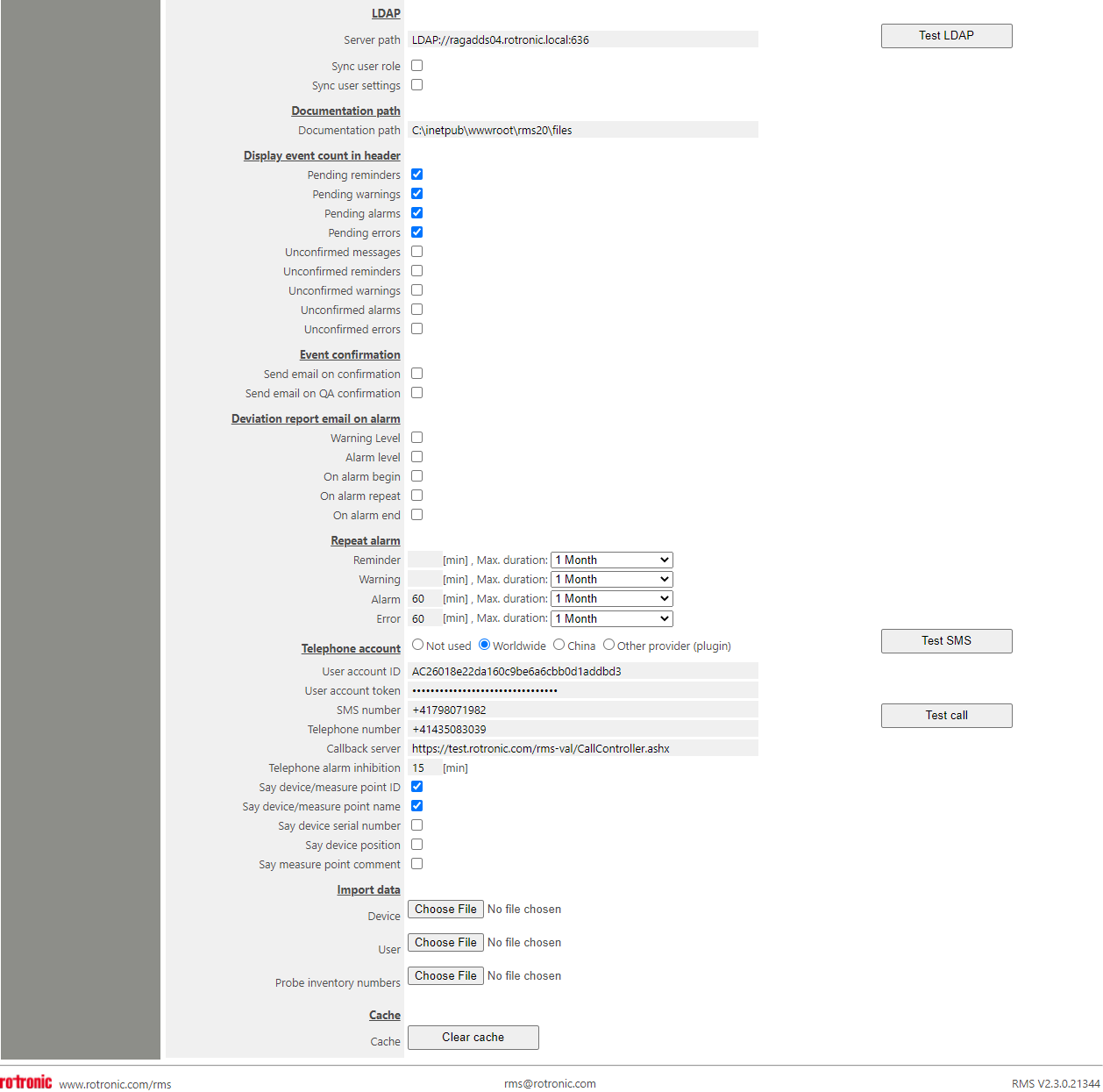 Under "Display event count in header", it is possible to configure the display event count in the header: - Pending Reminders: Display open reminders in the header. - Pending Warnings: Display open warnings in the header. - Pending Alarms: Display open alarms in the header. - Pending Errors: Display open errors in the header. - Unconfirmed Messages: Display unconfirmed messages in the header. - Unconfirmed Reminders: Display unconfirmed reminders in the header. - Unconfirmed Warnings: Display unconfirmed warnings in the header. - Unconfirmed Alarms: Display unconfirmed alarms in the header. - Unconfirmed Errors: Display unconfirmed errors in the header. |
| Step 4 | Click on "Save" to save the settings. |