Settings of the RMS-CONVERTER
WebService path:
In the case of an on-premise server, the WebService path must be adapted to the local settings of the local server. After correct configuration, the RMS-CONVERTER-100 can be integrated into RMS.
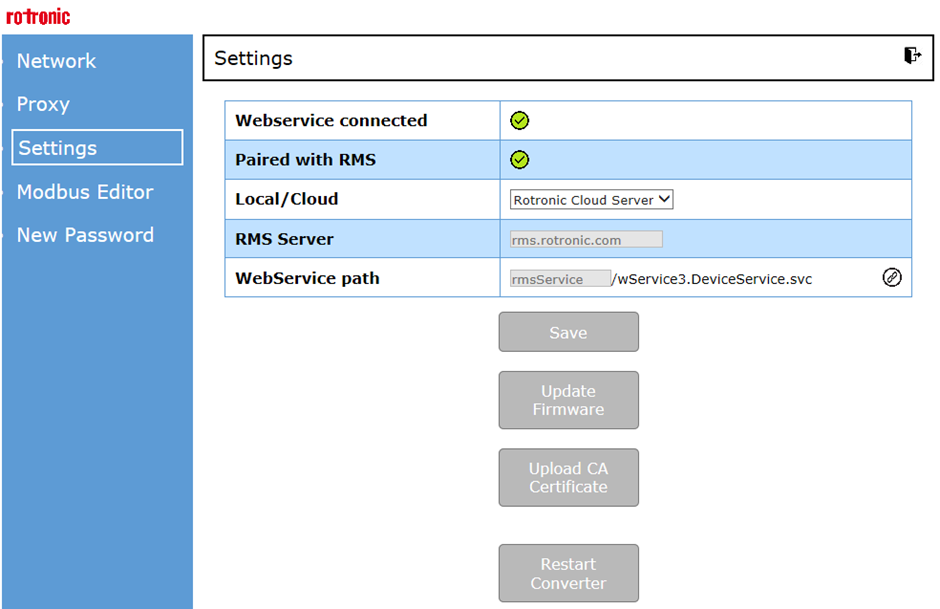
Figure 1: Update of the WebService path for any on-premise servers.
In case of a local server, the WebService path must be adapted to the local settings of the local server.
| Important: For a successful integration of the RMS-CONVERTER-100 into RMS, the network port 80 must be opened. The RMS-CONVERTER-100 must be able to send data to the RMS server (on-premise or cloud): |
|---|
FW Update via RMS:
See chapter - SW configuration
Upload CA Certificate:
In protected IT infrastructures, the use of a CA certificate could be mandatory to identify that the RMS-CONVERTER-100 is a permitted network participant.
For that reason such a CA certificate can be uploaded to the RMS-Converter.
Please click on Upload CA Certificate at the Settings (via Browser/RMS Config) - see Figure 1 above.
Restart Converter:
Push the button to restart the converter.
Updated: 02.10.2023