Layout Explained
The layout is a visualization tool.
The layout also offers short cuts to inhibit measuring points and switch buttons and outputs.
| Overview | In the layout view, the actual status of the measuring points can be visualized. with a background picture. Under the Groups, it is possible to see the group structure and click one group to see the layout and the various labels that can be setup: Tools>Setup>Layout Explained 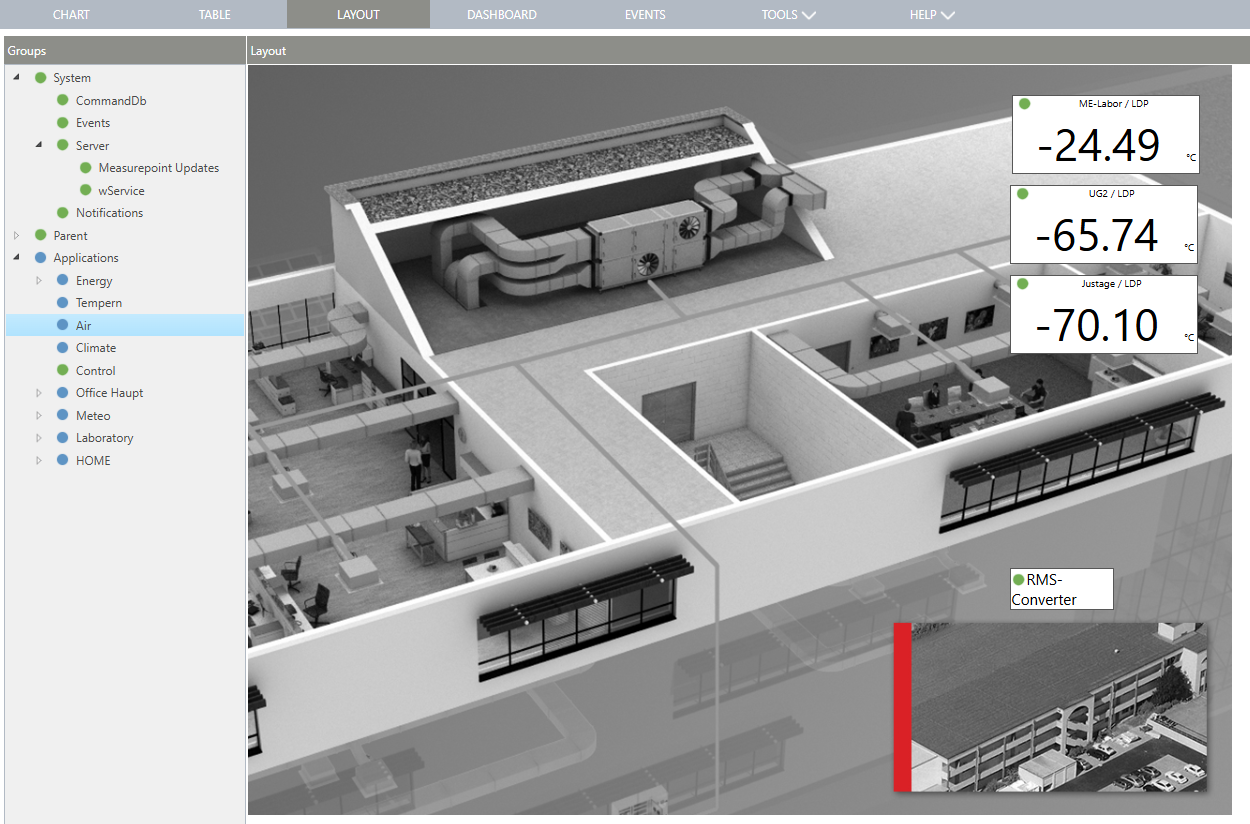 |
|---|---|
| Update V2.9.0 | Enlargement of the layout To display bigger pictures as a layout background (e. g. for big monitors): - File limit of uploaded picture is new set by 2MB (erlier 512kB) - Layout images are no longer limited to 1050x800px but are based on the local display resolution. Existing layouts remain unchanged to ensure that previously set labels are placed in the correct location. If you want to adapt them for larger resolutions, they must be re-imported and deleted beforehand. |
Update 19.11.2025