Tools>Setup>Account Explained
The account setup tool is a function to see how the account settings an upgrade the account.
| Print Screen 1 | The user also has the possibility to see the account settings and add a new license key. 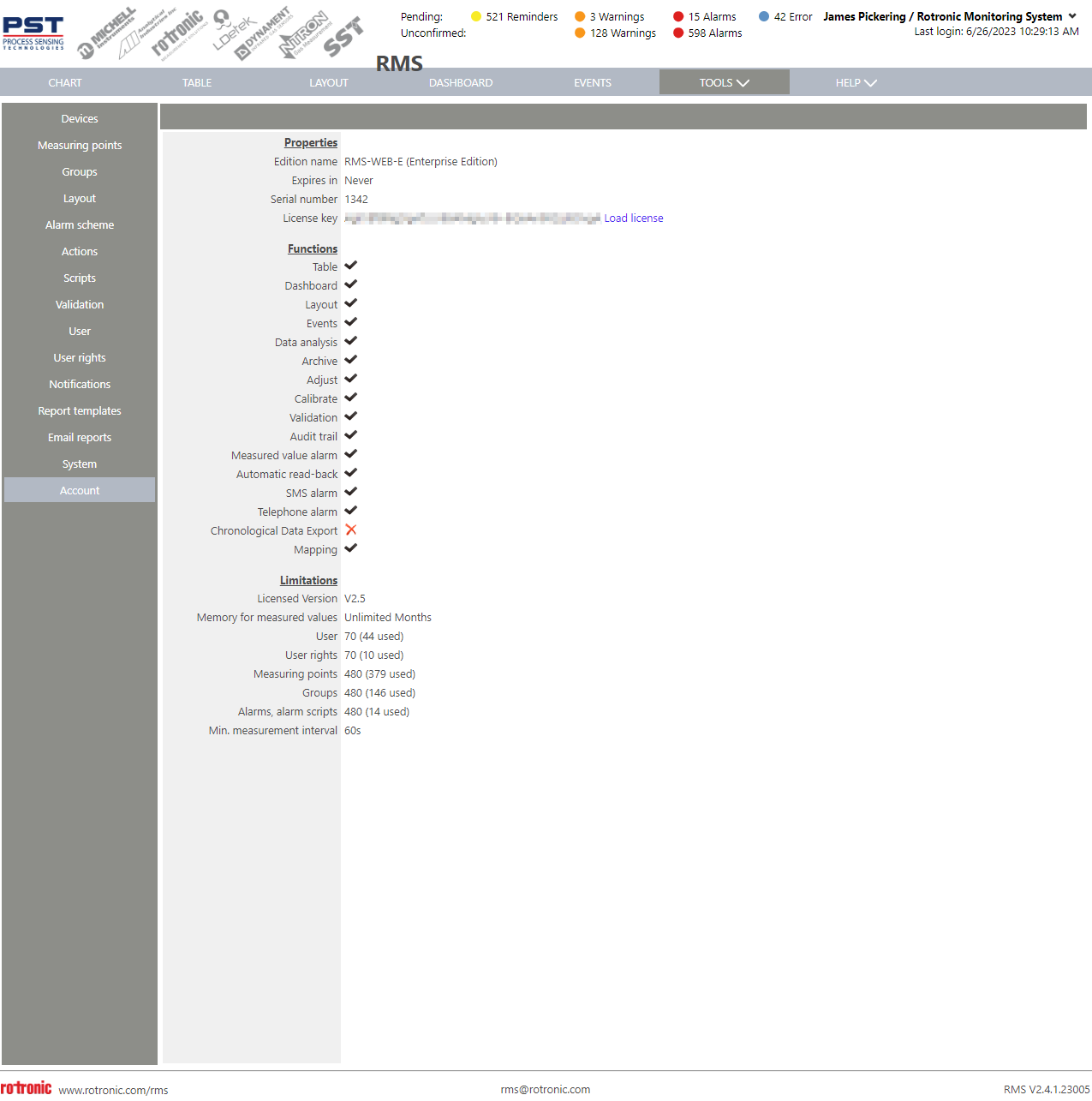 Properties. - Edition name: Shows the software used: - Expires in: Shows when the software license expires. - Serial number: Shows the software serial number (all SLA's are registered under the software serial number). - License key: Show the license key given when ordering RMS. The user has the possibility to load a new license. Functions. - Table: Shows if the table view is available in the users RMS edition. - Dashboard: Shows if the dashboard view is available in the users RMS edition. - Layout: Shows if the layout view is available in the users RMS edition. - Events: Shows if the events view is available in the users RMS edition. - Data analysis: Shows if the data analysis function is available in the users RMS edition. - Archive: Shows if the archive function is available in the users RMS edition. - Adjust: Shows if the adjust function is available in the users RMS edition. - Calibrate: Shows if the calibrate function is available in the users RMS edition. - Validation: Shows if the validation function is available in the users RMS edition. - Audit trail: Shows if the audit trail function is available in the users RMS edition. - Measured value alarm: Shows if the alarm scheme function is available in the users RMS edition. - Automatic read-back: Shows if the automatic read out data function is available in the users RMS edition. - SMS alarm: Shows if the SMS alarming function is available in the users RMS edition. - Telephone alarm: Shows if the telephone alarming function is available in the users RMS edition. - Chronological Data Export: Shows if the data conform to be sent to a data historian (RMS-WEB-EXP). The system can also automatically delete data from the SQL database if required (RMS-WEB-DEL). The amount of data stored is defined by the license (RMS-WEB-XDM). - Mapping: Shows if the mapping feature is available in the users RMS edition. Limitations. - Licensed Version: Shows the software version that the license is valid for. - Memory for measured values: Shows the memory available based upon the license key. - User: Shows the users available and used based upon the license key. - User rights: Shows the users rights available and used based upon the license key. - Measuring points: Shows the measuring points available and used based upon the license key. - Groups: Shows the groups available and used based upon the license key. - Alarms, alarm scripts: Shows the alarm scripts available and used based upon the license key. - Min. measurement interval: Shows the minimum measurement interval based upon the license key: |
|---|---|
| Update V2.9.1 | Notification Center (email, phone, sms) At TOOLS > SYSTEM > Account, the user can see whether the notification center is enabled or not. Please see also Tools>Setup>System Explained (Update V2.9.1) 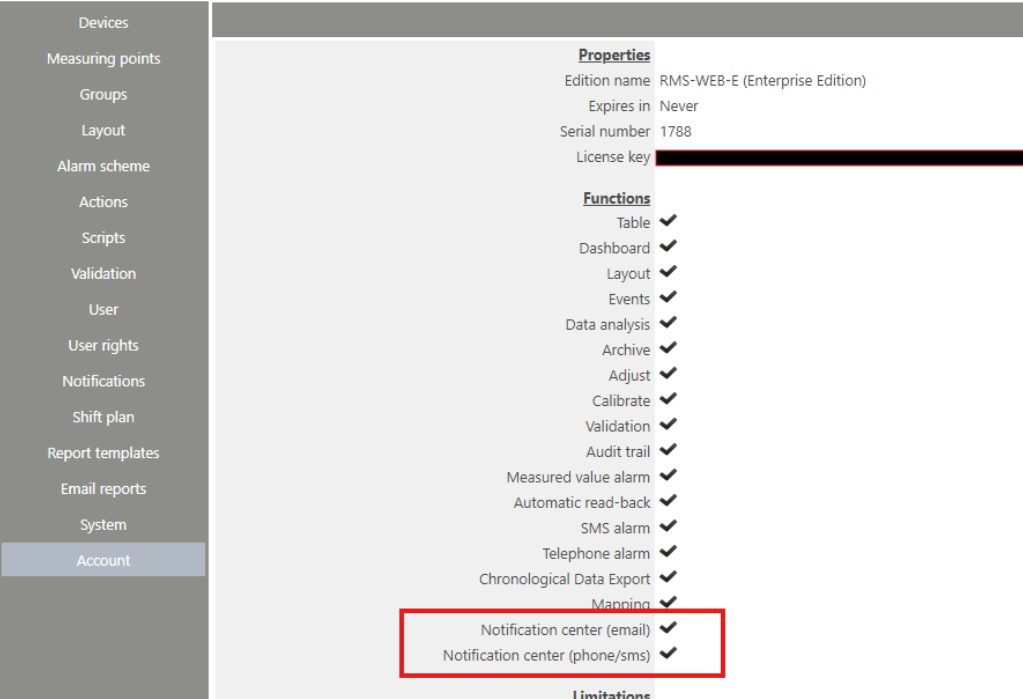 |
Update 21.05.2026