Tools>Setup>User Rights Explained
The user right setup tool is a function to add and configure the user rights.
Important feature: When Rotronic carry out an installation or validation of the system, we recommend creating a specific user with specific user rights. All work done in RMS will be visible within the audit trail.
| Print Screen 1 | The user can select what to do: - New: Add a new user right (Each user right will have a unique ID: ROL-xxx). - Delete: Delete the user right. - Save: Save the configuration. When a user right is selected the window is populated. - ID: ROL-xxx automatically given by RMS. - Name: User configured user right name. - Level: User configured user right level, 1 should be admin level. A right can be moved up and down. IMPORTANT: to ensure access to the software, users in level 1 cannot be blocked by the system. - Used by: Once a user has been configured with a user right, the name will automatically appear here. 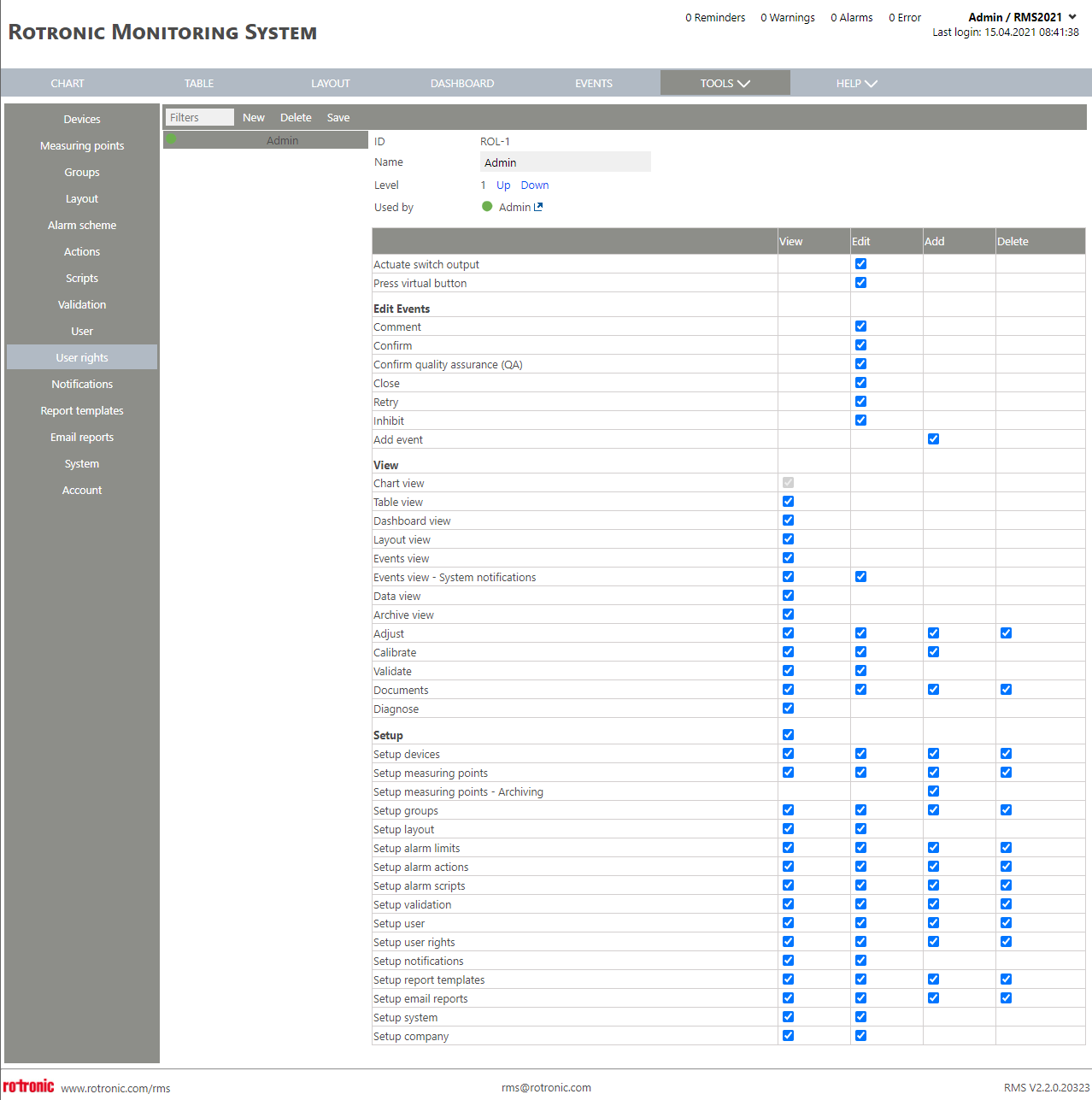 Actions: Actions that can be attributed to the various functions of RMS. - View: The user can view information and the menu. - Edit: The user can edit information. - Add: The user can add information. - Delete: The user can delete information. The system user rights are then split into four parts: - Functions: switch buttons. - Edit events: edit all events. - View: all standard information to view data - Setup: all information listed within the setup menu Functions: Functions where an action can be attributed. - Actuate switch output: The right to switch a switch via RMS. - Press virtual button: The right to press on a virtual button via RMS. Edit Events: - Comment: The right to comment an event in the audit trail. - Confirm: The right to confirm an event in the audit trail (required for 2-step confirmation). - Confirm quality assurance (QA): The right to (QA) confirm an event in the audit trail (required for 2-step confirmation). - Close: The right to close an event in the audit trail. - Retry: The right to retry to download data gaps in the audit trail. - Inhibit: The right to inhibit events in the audit trail. - Add event: The right to add an event in the case of a data gap found via the diagnose function: Tools>Diagnose Explained. View: - Chart view: The right to view the chart view. - Table view: The right to view the table view. - Dashboard view: The right to view the dashboard view. - Layout view: The right to view the layout view. - Events view: The right to view the events view. - Events view - System notifications: The right to view and edit the system notifications in the events view. - Data view: The right to view the data analysis function. - Archive view: The right to view the archive function. - Adjust: The right to view the adjust function and edit/add/delete adjustments. - Calibrate: The right to view the calibrate function and edit/add calibrations. - Validate: The right to view the validate function and edit=run validations. - Documents: The right to view the documents function and edit/add/delete documents (Important: if a user has the right to view documents, all documents are visible). - Diagnose: The right to view the diagnose function. Setup: The right to view the setup menu. - Setup devices: The right to view the setup devices function and edit/add/delete devices. - Setup measuring points: The right to view the setup measuring points function and edit/add/delete measuring points. - Setup measuring points - Archiving: The right to archive measuring points. - Setup groups: The right to view the setup groups function and edit/add/delete groups. - Setup layout: The right to view the setup layout function and edit layouts. - Setup alarm limits: The right to view the setup alarm limits on validation schemes and edit/add/delete alarm limits. - Setup alarm actions: The right to view the setup actions function and edit/add/delete actions. - Setup alarm scripts: The right to view the setup script function and edit/add/delete scripts. - Setup validation: The right to view the setup validation function and edit/add/delete alarm validation scripts. - Setup user: The right to view the setup user function and edit/add/delete users. - Setup user rights: The right to view the setup user rights function and edit/add/delete user rights. - Setup notifications: The right to view the notification function and edit notifications. - Setup report templates: The right to view the setup report templates function and edit/add/delete report templates. - Setup E-Mail reports: The right to view the setup E-Mail reports function and edit/add/delete E-Mail reports. - Setup system: The right to view the setup system function and edit system settings. - Setup company: The right to view the setup account function and edit account settings. |
|---|---|
| Print Screen 2 | Add a new user right by clicking on new and selecting an empty or full user right. 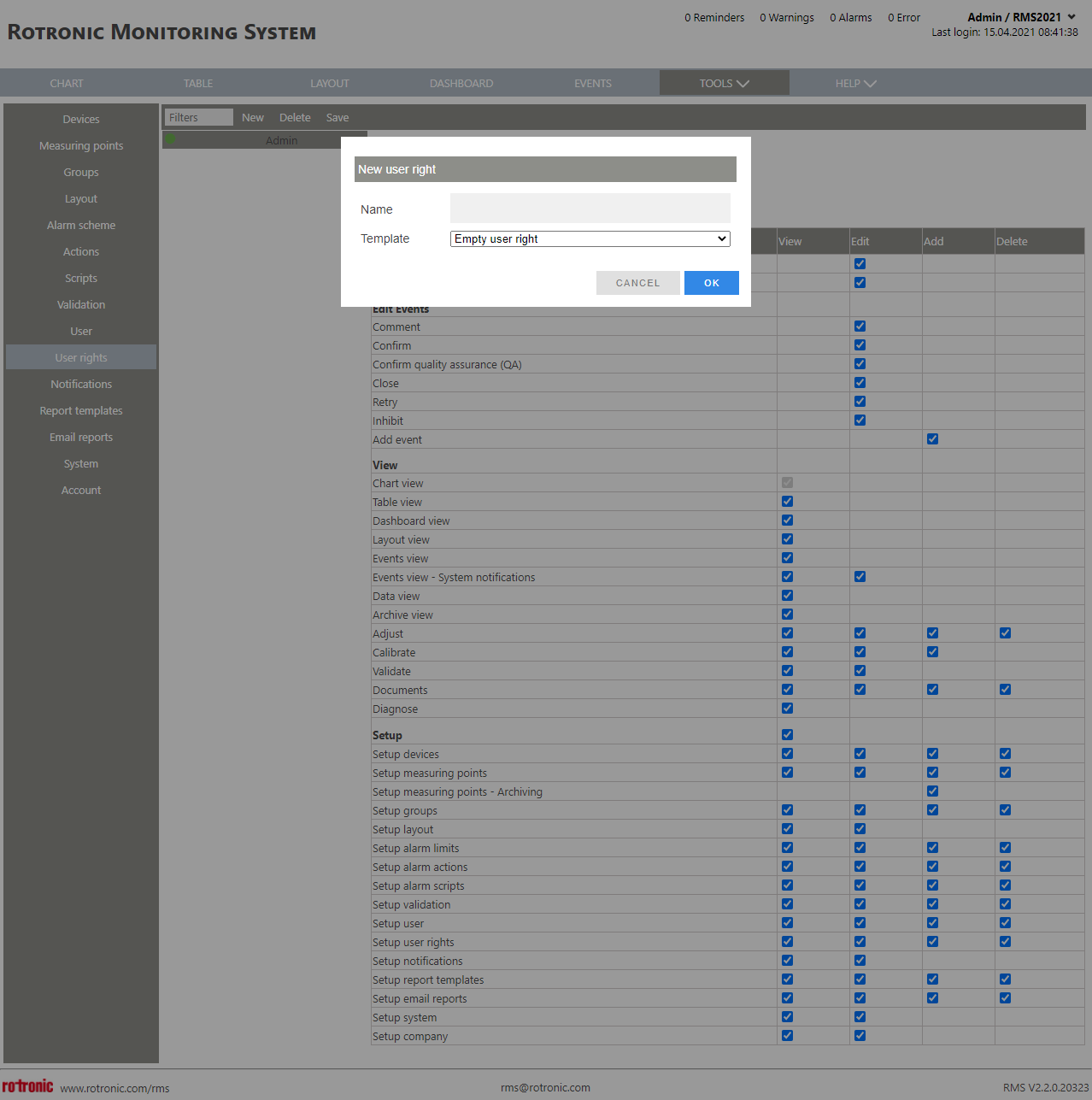 |
Updated: 22.11.2023